
Breaking News - Live Headlines
YING LIANG HK LIMITEDNews & Magazines
4.4399.00 Reviews
- Version
- 14.2.2254.84361
- Installs
- 10.00M
- Age Rating
- Everyone
Screenshots
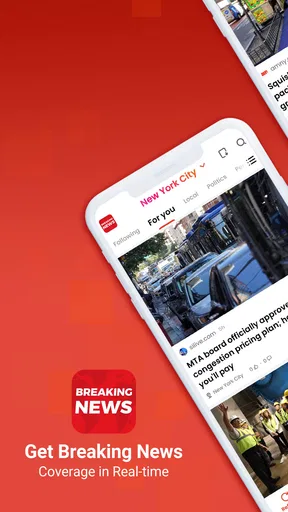
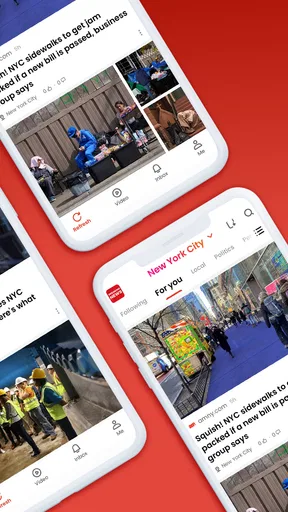
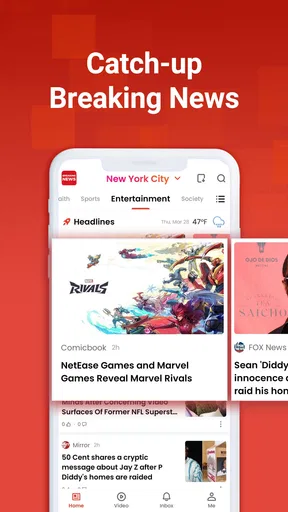
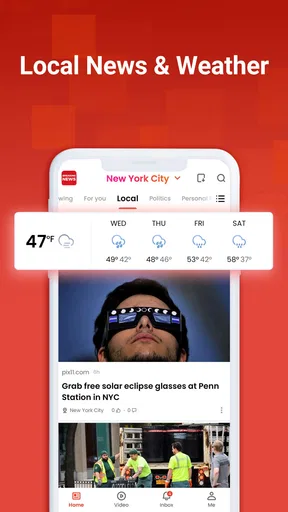

Our Review of Breaking News - Live Headlines
 Analysis by Appyee
When I want a quick view of what is happening around the world, I do not always need a full newspaper experience. Sometimes I need a fast starting point: the main headlines, a few important developments, and enough context to decide what deserves deeper reading. Breaking News - Live Headlines is built around that simple need. It is a free news and magazines app from YING LIANG HK LIMITED, focused on delivering global news and helping me follow major events without opening several separate sources.
After spending time with it, I see its strongest quality in the way it turns a broad news cycle into a quick daily check-in. The app is not trying to replace careful reporting from a newspaper, specialist publication, or local broadcaster. Its value is different: it gives me a convenient overview when I want to know what is moving across the world before deciding where to spend my attention.
The app has an average rating of 4.4 from around 43 thousand ratings, and it has passed 10 million installs. Those figures suggest that its straightforward approach appeals to a large audience. It is free to use, rated for Everyone, and works on Android 6.0 or later. The current version is 14.1.2254.83657, so users with older compatible phones can still consider it without needing a recent device.
Why the global headline view matters
I use the global headline view as a starting map, not a verdict: it helps me decide which stories deserve a closer look and which can wait. In this section, I’ll focus on how that broad scan fits into a real news routine, including the moments when a quick overview is useful and when I’d turn to a more detailed source.
A broad first look instead of a single publication
The central capability here is global headline delivery. That sounds simple, but it changes how I begin a news session. Rather than opening one publication and inheriting its editorial focus, I can use this app as a wide-angle scan of major events. That is useful in the morning, before work, or after several hours away from the news, when I want to rebuild a basic sense of what is happening.
I found this especially helpful during busy days. If I have only a minute, a headline-focused app is more practical than navigating through several homepages, newsletters, or social feeds. The experience is designed for quick orientation. I can identify the subjects receiving attention, notice which stories appear urgent, and then decide whether I need a longer article elsewhere.
That distinction is important. A headline overview is not the same as complete understanding. Headlines can tell me that an event is developing, but they may not explain the background, competing claims, local impact, or what changed since the previous update. I use Breaking News - Live Headlines as the first layer of my news routine, not as the only layer.
The real effect on everyday news habits
The practical benefit is reduced friction. News is easier to follow when the first step is small. I do not have to decide in advance which publication deserves my attention, and I do not need to remember every topic I wanted to check. The app gives me a general entry point, which makes it more likely that I will maintain a regular habit instead of avoiding the news because the process feels scattered.
There is also a useful mental separation between discovery and verification. I can discover a story through the app, then look for fuller reporting when the subject matters to me. For example, a headline about a significant international event may be enough for casual awareness, while a story affecting travel, finances, health, or work deserves confirmation from a trusted specialist source. This two-step workflow is one of the best ways to use the app responsibly.
For readers who follow several countries or regions, the worldwide angle can be more useful than a strictly local news application. It helps me avoid becoming completely dependent on the priorities of one city or one national publication. At the same time, readers who mainly want neighborhood updates may find the global focus less relevant than a local newspaper or regional news service.
How I use it in practice
My preferred routine is short and deliberate. I open the app once to scan the major headlines, pause on stories that affect my interests, and leave the app when I have enough orientation. I do not treat every headline as an invitation to keep scrolling indefinitely. That limit matters because a fast news tool can easily become another source of constant interruption if I check it without a clear purpose.
A useful approach is to divide reading into three levels. First, I scan for immediate developments. Second, I identify stories that may affect my plans or responsibilities. Third, I choose only the most important subjects for deeper reading through a more detailed source. This keeps the app in its strongest role: a filter for attention rather than a replacement for every form of journalism.
Another practical tip is to read the surrounding headlines before reacting to one dramatic item. A single headline can make an event seem isolated or more conclusive than it really is. Seeing the broader selection helps me compare its prominence with other developments and reduces the chance of treating one striking phrase as the entire story.
A realistic morning scenario
Imagine that I have a few minutes before leaving home. I want to know whether there is a major international development, a story that could affect my plans, or a subject I should discuss at work. Opening several news websites would take longer than I have, while scrolling through social media would mix reporting with opinion, repetition, and unrelated posts. This app gives me a cleaner first pass.
I scan the headlines, notice which events are receiving attention, and make a mental note of one or two topics. If one concerns travel or a decision I need to make, I continue researching it through a more detailed and trusted source. If nothing requires action, I close the app with a general understanding of the day’s news. That is a modest use case, but it reflects where the app feels most natural.
The same workflow works after a workday or during a short break. Instead of trying to catch up on everything I missed, I use the global overview to identify the stories that genuinely deserve time. The app is most effective when I treat it as a short briefing, not as a complete archive of everything happening everywhere.
Where it differs from familiar alternatives
Compared with a traditional newspaper app, Breaking News - Live Headlines feels more useful for breadth than depth. A newspaper usually gives me stronger reporting identity, more analysis, and a clearer editorial voice. That can be better when I already know the subject I want to study. This app is more convenient when I do not yet know which subject deserves attention.
Compared with social media, the headline approach is less dependent on my personal network and the unpredictable order of a feed. Social platforms can surface eyewitness material and rapid reactions, but they can also bury important context beneath commentary. I prefer this app for an initial scan, then social media only when I specifically need public reaction or on-the-ground discussion.
Compared with a dedicated broadcaster’s application, the global overview may feel less tied to one channel’s presentation. A broadcaster can be better for live video, interviews, and developing coverage from a familiar newsroom. Breaking News - Live Headlines makes more sense when I want a compact reading-oriented starting point rather than a broadcast schedule.
The tradeoff between speed and context
The main limitation is built into the app’s purpose: speed can make news feel more complete than it is. A headline may summarize an event, but it cannot carry every qualification. I would not use a quick headline view alone for medical decisions, financial choices, legal matters, or anything where a small misunderstanding could have serious consequences.
This is not a criticism unique to this app; it is the unavoidable tradeoff of headline-first news. The convenience is real, but the reader has to supply judgment. I recommend opening the original or fuller report when a story affects me personally, when the wording seems unusually dramatic, or when the event is still changing quickly.
Another tradeoff is relevance. A worldwide selection can expose me to important subjects I would otherwise miss, but it can also include stories that have no practical connection to my day. Someone who wants only local traffic, municipal decisions, or community events may spend time filtering out material that a regional service would present more efficiently.
Who benefits most from the app
I think the strongest audience is people who want a low-effort global news habit. It suits students who need awareness of international events, travelers who want a broad view before making plans, professionals who need a quick morning briefing, and casual readers who do not want to subscribe to several publications just to see what is happening.
It can also help people who are returning to regular news consumption after feeling overwhelmed. The app offers a manageable first step: scan, identify, and investigate only what matters. That is less intimidating than trying to read every major publication in full. Used this way, it supports curiosity without demanding a large daily time commitment.
Readers who need deep investigations, specialist analysis, strong local reporting, or a carefully curated publication voice should use a different primary source. I would also skip making it my only news tool if I need reliable detail for professional or high-stakes decisions. Its broad headline function is valuable, but it does not remove the need for source evaluation.
Device support and practical expectations
Because the app supports Android 6.0 and later, it is approachable for people using older Android hardware. That is useful if I want a news reader without replacing a phone simply to meet a newer operating-system requirement. The free price also makes it easy to try as a secondary news tool rather than committing money before knowing whether the format fits my routine.
The Everyone content rating makes it suitable for a general audience, including households looking for a simple way to check current events. Still, general suitability does not mean every headline will be comfortable or appropriate for every moment. News can involve conflict, disasters, or other difficult subjects, so I would be mindful of when and how often younger readers use any breaking-news service.
The developer, YING LIANG HK LIMITED, has kept the product positioned around a clear news function rather than presenting it as a full productivity suite or social network. That focus is helpful because I know what role it should play on my phone: quick global awareness. I would not download it expecting note-taking, long-form research organization, or a personalized professional newsroom.
Small habits that make the experience better
My first recommendation is to avoid treating every notification or headline as urgent. News apps are most useful when they inform my schedule rather than control it. I prefer checking at intentional moments, then moving on. This protects concentration and also makes the individual headlines easier to evaluate because I am not reacting to a constant stream.
Second, I keep a mental distinction between a developing headline and a settled explanation. If a story is important, I return to it later after more reporting has emerged. This is particularly useful for international events, where early headlines may change as facts become clearer. The app helps me notice the story; it does not require me to form a final opinion immediately.
Third, I use the app to build questions. Instead of asking only, “What happened?” I ask, “Who is affected, what is the source, what changed, and what should I verify?” This turns a quick scan into a more thoughtful reading process. It is a less obvious benefit because the app does not need to provide every answer to improve my news habits; it can simply help me choose better questions.
Finally, I avoid measuring the quality of my news routine by the number of headlines I read. The goal is not to consume the largest possible volume. The goal is to notice meaningful developments and understand the ones that matter. The app works better when I use its breadth to reduce unnecessary reading rather than to create a new obligation to keep up with everything.
My final recommendation
Breaking News - Live Headlines is a sensible choice if I want a free, general-purpose way to check global events quickly. Its central strength is not deep investigation; it is the ability to give me a broad starting point when I have limited time or do not know where to begin. The large installed audience and strong average rating reflect that straightforward usefulness, but the real test is whether a headline overview matches my personal news habits.
I would recommend it as a first stop, especially for morning awareness, travel preparation, international curiosity, or a quick catch-up after being offline. I would pair it with established detailed sources whenever a story affects my health, money, safety, work, or important decisions. The best way to use this app is as a map of the news, not the entire journey.
For me, that makes it worthwhile. It saves time, broadens the subjects I notice, and gives me a practical starting point without charging for access. Its limitations are clear, but they are manageable when I remember what the app is designed to do. If your priority is fast global awareness rather than long-form reporting, it is an easy app to try; if you mainly need local detail or expert analysis, a more specialized news service will serve you better.
Privacy and Permissions
See what permissions an app requests and how it handles your data.
- Location
- approximate location (network-based)
- Phone
- read phone status and identity
- Photos/Media/Files
- read the contents of your USB storage, modify or delete the contents of your USB storage
- Storage
- read the contents of your USB storage, modify or delete the contents of your USB storage
- Camera
- take pictures and videos
- Wi-Fi connection information
- view Wi-Fi connections
- Device ID & call information
- read phone status and identity
- Other
- view network connections, create accounts and set passwords, control flashlight, full network access, read sync settings, draw over other apps, control vibration, prevent device from sleeping, toggle sync on and off, install shortcuts, Google Play license check, read Google service configuration
Verdict
Strengths of Breaking News - Live Headlines
- Quick access to breaking stories from multiple news sources.
- Live headlines help users stay informed as events develop.
- Clean layout makes scanning the latest news simple.
- Topic categories make it easier to find preferred coverage.
- Useful for checking major world events while traveling.
Limitations of Breaking News - Live Headlines
- Some headlines may repeat the same story from different sources.
- Breaking alerts can become distracting without careful notification settings.
- News quality and accuracy may vary between publishers.
- Certain articles may require opening an external website.
- Heavy news updates can increase battery and data usage.
Other Releases by YING LIANG HK LIMITED
View All
Breaking Local News
News & Magazines4.6
Similar Picks in This Category
View All
Google News - Daily Headlines
Google LLC4.0

X
X Corp.4.8

Flipboard:Your Social Magazine
Flipboard3.4

Opera News: breaking & local
Opera4.5

Hindi News by Dainik Bhaskar
Dainik Bhaskar Group4.0

Way2News Daily News App
Way2News ( Formerly Way2SMS )4.6
Frequently Asked Questions
What is Breaking News - Live Headlines?
Breaking News - Live Headlines is a news application designed to help users follow current events from multiple categories in one place. It typically presents updated headlines covering topics such as world news, politics, business, technology, entertainment, sports, and local stories. The app is useful for quickly scanning important developments without visiting several different news websites or apps.
How often are the headlines and news stories updated?
The application is built around regularly refreshed headlines, so users can check for new developments throughout the day. Update speed may depend on the news source, internet connection, and the importance of an event. Some stories can appear shortly after publication, while others may take longer. It is still wise to open the full article and compare major stories with trusted sources.
Can I personalize the news shown in the app?
In many cases, Breaking News - Live Headlines allows users to focus on preferred categories, topics, or regions, making the news feed more relevant. Personalization options can vary depending on the app version and device platform. Before downloading, users who only want specific subjects should check whether the available filters, notifications, language settings, and location-based options meet their expectations.
Does Breaking News - Live Headlines require an internet connection?
Yes, an internet connection is generally required to retrieve breaking stories, refresh headlines, load images, and open linked articles. The application may continue displaying previously loaded content when the connection is interrupted, but it cannot provide genuinely current updates offline. Mobile data usage can also increase when images, videos, or full articles are loaded frequently.
Is Breaking News - Live Headlines free to download and use?
The app may be available as a free download, although the exact experience can depend on the Android or iOS version and the developer’s current business model. Free access may include advertisements, optional purchases, or premium features. Users should review the store listing for subscription details, privacy information, supported devices, and any charges before installing or enabling paid services.
